
How to catch duplicate delivery and pickup charges on rental orders
By RentalSpend ·
Check each transport line against the rental agreement, delivery ticket, pickup or off-rent confirmation, and invoice date. The goal is to find the same delivery or pickup billed twice for the same order or event.
On this page
Catch duplicate delivery and pickup charges by reconciling every transport-related invoice line to the rental agreement, the delivery ticket, and the off-rent or pickup confirmation. The key is not whether the order included both a delivery and a pickup; it is whether the same fee was billed twice for the same order, asset, date, or movement event. Because supplier terms vary, always check whether delivery, pickup, and any transportation surcharge are separate billable items on your agreement and whether your dispute deadline is short.[1][2][3][4][5]
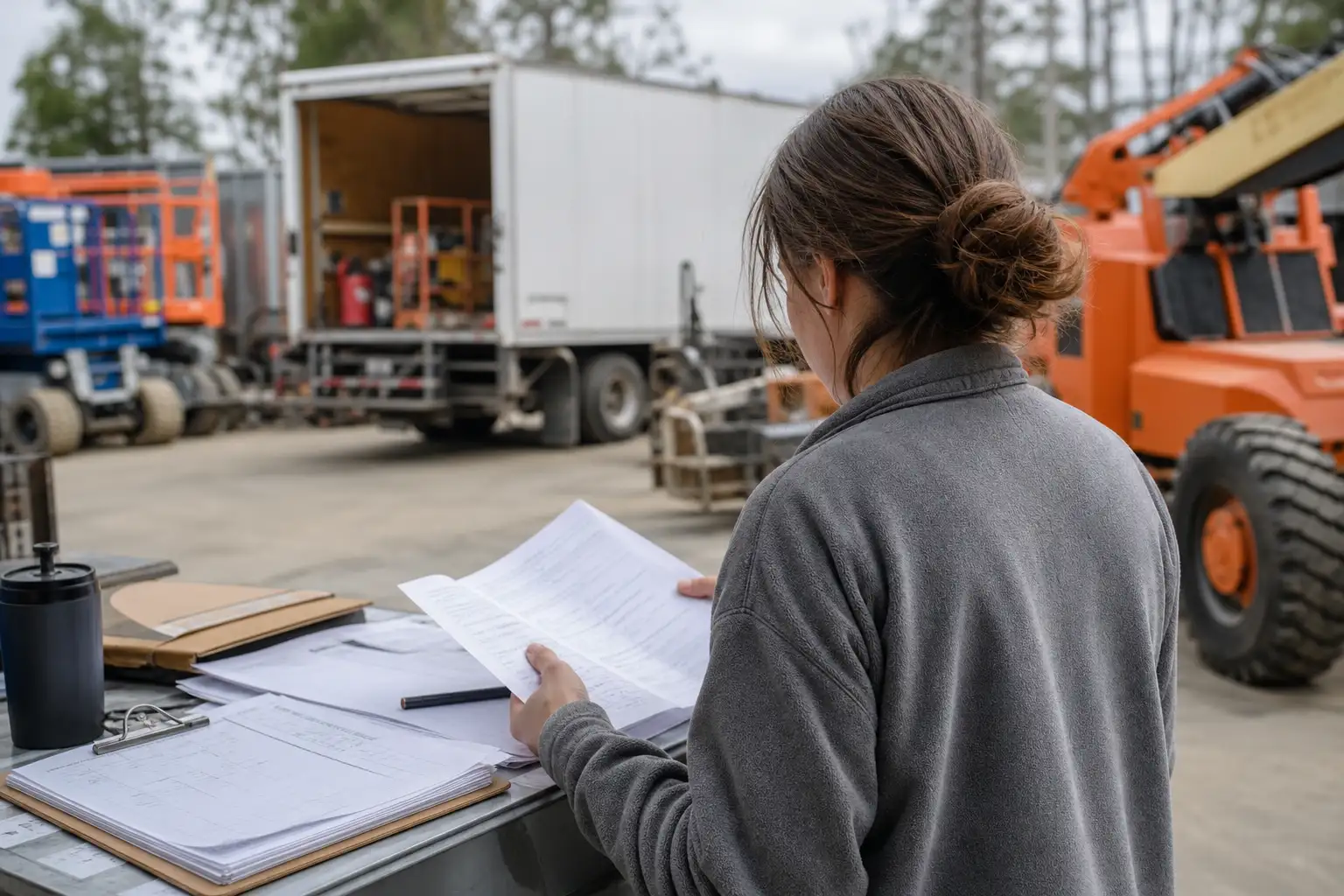
Checklist: what to verify on every rental invoice
- Check the rental agreement first: confirm whether delivery, pickup, freight, and any transportation-services surcharge are billed separately or folded into the rental rate. Do not assume the invoice format tells you the full contract rule.
- Match each transport line to one unique event: one outbound delivery, one inbound pickup, one rescheduled trip, one failed-attempt fee, or one other service that was authorized in writing. If two lines point to the same event, treat that as a duplicate candidate.
- Compare the invoice to the delivery ticket, pickup ticket, off-rent confirmation, or return log. A valid charge should usually have a matching movement record, date, location, and order or ticket number.
- Look for repeated line descriptions, repeated charge codes, or repeated amounts on the same invoice or across multiple invoices for the same order. Also check for a second transport fee that appears without a second movement record.
- Check the timing. If the equipment was delivered once and picked up once, then two delivery lines or two pickup lines for that same order deserve a closer look. If there was a second trip, confirm it was a legitimate retry or special service, not a duplicate entry.
- Review the invoice math and coding. Sometimes the same charge is entered once as a base transport fee and again as a surcharge, or it is split across lines in a way that looks different but still bills the same event twice.
- Compare the invoice against the purchase order or receipt record your AP process uses. Standard matching logic is designed to pay only for services ordered and received, so missing transport support documents are a warning sign rather than proof of a duplicate.
What usually creates duplicate transport charges
Duplicate transport charges often happen when an invoice is built from more than one source system or when the same event is billed under different labels. A supplier may charge a delivery fee, a pickup fee, and a separate transportation-services surcharge. That is not automatically wrong. It becomes a duplicate problem when the same trip is billed more than once, or when a surcharge is added on top of a transport charge that was already included in the agreed price. Check your agreement to see how those items are supposed to appear.[2][3][4]
- One delivery recorded twice on the same invoice, often with the same date, jobsite, ticket number, or asset.
- One pickup recorded twice, sometimes once as a pickup fee and again as a freight or transportation line.
- A transportation surcharge added on top of a separate delivery or pickup charge when the agreement says both can apply only under specific conditions.
- A re-delivery or second pickup billed without documentation showing the first trip failed, was rescheduled, or was separately authorized.
- A duplicate across invoices, where the original invoice and a later corrected invoice both contain the same transport fee and only one should remain open.
How to confirm whether a second trip is legitimate
A second delivery or pickup is legitimate when the paperwork shows a real second movement and the contract allows it. Common examples include a failed delivery because the site was inaccessible, a rescheduled pickup, or an after-hours service that was approved in writing. If the supplier can show a separate ticket, dispatch note, or written authorization for the extra trip, it is not a duplicate just because it looks similar to the first one.[1][2][3][4]
- Ask for the movement record tied to the second charge: dispatch note, signed ticket, driver record, off-rent confirmation, or written approval.
- Check whether the date and location differ from the first trip in a way that matches a real retry or special service.
- Confirm whether your agreement allows the extra trip and whether the pricing should be the same as the original trip or different.
- If the supplier calls the charge a transportation surcharge, check whether the surcharge applies once per order, once per movement, or once per invoice under your contract.
- If the charge came in after the invoice was already paid, look for a credit memo or corrected invoice rather than a second payment.
What to do when a charge does not match
When a delivery or pickup charge does not match the supporting records, hold the invoice or the specific line item for review and gather the documents before you approve payment. If you can show that two invoice lines map to the same order, asset, date, and movement event, you have a strong duplicate candidate. If the supplier says the charge is valid, ask for the written basis: the agreement section, the service ticket, and the reason the second trip was needed. If your contract requires disputes to be raised quickly, send the issue immediately instead of waiting for month-end close.[5][6][7][8]
- Keep the rental agreement, PO or order number, invoice, delivery ticket, pickup or off-rent confirmation, and any dispatch notes together.
- Mark exactly which line is in question and why: same date, same order, same asset, same charge code, or no matching transport record.
- Ask for a corrected invoice or credit memo if the supplier cannot tie the charge to a separate trip.
- If your ERP allows it, set a duplicate rule that compares vendor, order number, invoice number, amount, movement date, and charge code for transport lines.
- Escalate disputed accessorials quickly if the supplier’s terms set a short notice window.
How AP and operations can prevent repeats
Prevention works best when AP and operations use the same support packet before approval. That packet should include the rental agreement, the PO or order, the delivery ticket, the pickup or off-rent confirmation, and the invoice. For transport-related charges, a simple three-way or four-way match is useful because it forces the invoice to line up with what was ordered and what was actually received or returned. Where your system supports it, add a custom duplicate check for transport lines so the same movement cannot be billed twice under slightly different labels.[6][7][8][9][10]
- Use one order number for each rental whenever possible, so repeated transport lines are easier to spot.
- Require a delivery ticket or signed receipt for outbound delivery and a pickup or off-rent confirmation for the return.
- Train approvers to question any second transport line that lacks a separate movement record.
- Review disputed transport charges in a queue before payment, since delay can cause a waived dispute under some supplier terms.
- Keep a clean record of authorized exceptions, such as a second trip, to avoid disputing legitimate charges later.
Common questions
Is a delivery charge always separate from a pickup charge?
No. Some agreements bill them separately, some bundle them, and some also add a transportation surcharge. Check your own rental agreement and rate sheet before deciding whether a line is wrong.
What if the invoice has the same charge twice but with different descriptions?
Treat it as a duplicate candidate if both lines point to the same order, asset, date, and movement event. Different wording does not make a second charge valid by itself.
Can a second pickup charge ever be legitimate?
Yes. A second pickup can be legitimate if there was a failed pickup, a reschedule, a special service request, or other written authorization. Ask for the supporting record before approving it.
Which documents matter most when disputing transport charges?
The most useful records are the rental agreement, PO or order, invoice, delivery ticket, pickup or off-rent confirmation, and any dispatch or authorization notes tied to extra trips.
Should duplicate checks look at invoice number only?
No. For transport charges, also compare the order number, asset ID, movement date, charge code, and supporting ticket numbers. Two invoices can still contain the same transport event.
RentalSpend checks equipment-rental invoices against your agreed rates. Start a free invoice audit to see what to review on your own invoices.
Start a free invoice auditRelated guides
- How to trace rental charges posted to the wrong job or cost code
- How to check for unapproved delivery, pickup, or freight charges
- Negotiating delivery, pickup, and fuel into rental rates
- Tracking rental pickup delays that keep charges running
- Checklist for finding rental charges that ran past return date
Sources
- Rental Service Terms - US (English) | United Rentals · United Rentals
- Rental Contract | Herc Rentals · Herc Rentals
- Services and Associated Charges | Herc Rentals · Herc Rentals
- US Additional Charges Schedule | Herc Rentals · Herc Rentals
- US Rental and Service Terms | Herc Rentals · Herc Rentals
- Matching Invoice Lines | Oracle Fusion Cloud Financials · Oracle
- Match Approval Level Options | Oracle · Oracle
- Two-, Three-, and Four-way Matching | Oracle Payables Help · Oracle
- Is Duplicate | SAP Concur Invoice · SAP
- Duplicate Invoice Check | SAP Help Portal · SAP
This guide is general information, not legal or accounting advice. Rental terms differ by agreement and supplier; check your own contract and rate sheet.